

Balance subjects
Spot a course that has fallen behind and give it the next free session.
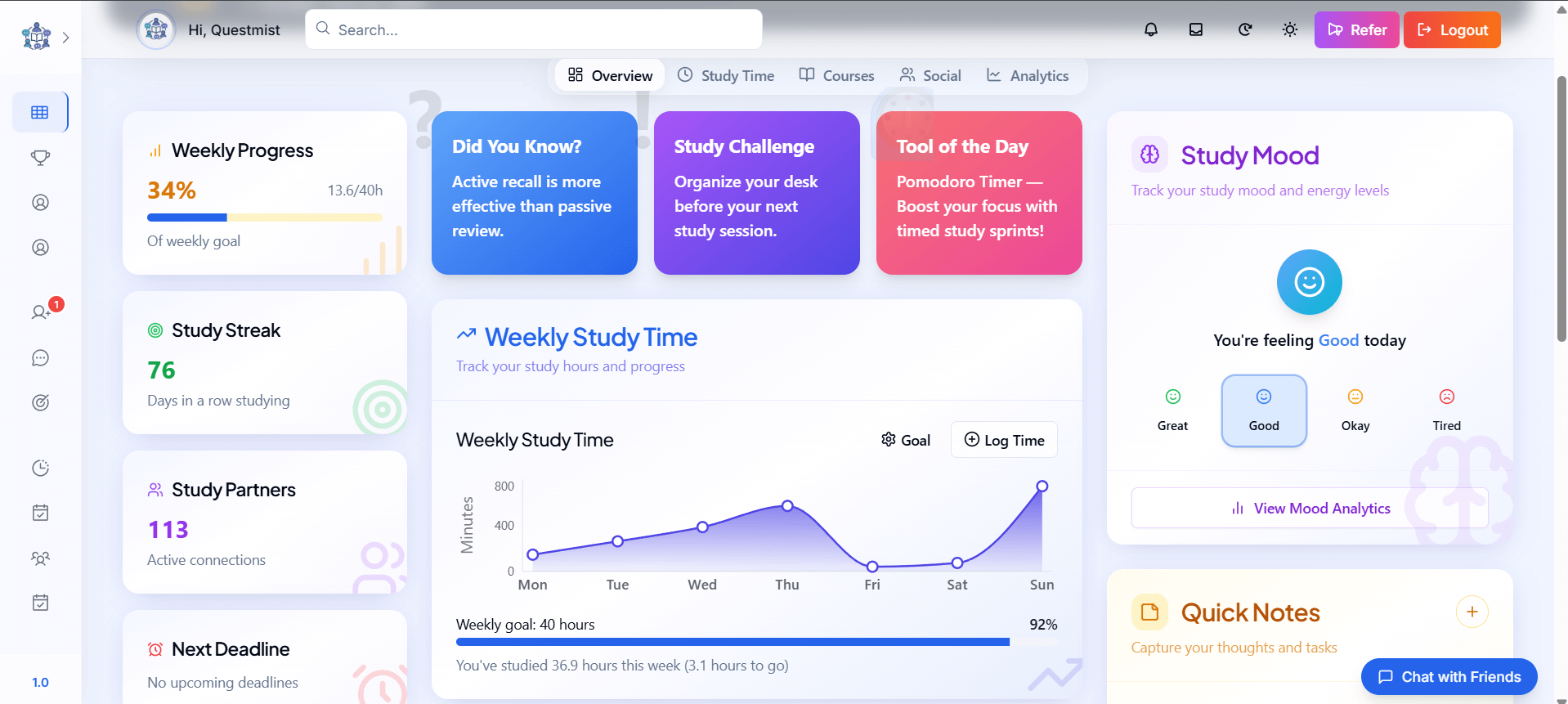
Your AcademyNC dashboard collects the numbers that show whether your studying is on track: time studied, current streak, weekly goal progress, course progress and a monthly overview of active days.
Free account required. Progress is built from the study time and courses you add.
Study time: hours logged today, this week and over time, from timer sessions and the study time tracker. Consistency: your current and longest study streak, a 14-day view and a monthly overview showing which days you studied.
Goals: a weekly goal bar so you know before Sunday whether you are on track. Courses: the courses you add, with study sessions linked to each one, so you can see which subjects are getting time and which are being neglected.
Progress tracking is most useful when it changes what you do next. If a course has had no time this week, schedule a session for it; if the weekly goal is out of reach, set a more realistic one.
Add the courses or subjects you are studying so sessions can be linked to them.
Use the Pomodoro timer or study time tracker so study time is recorded automatically.
Choose a number of hours you can hit in a normal week, not your best week.
Each week, check total hours, streak and course balance, then adjust next week's plan.
Spot a course that has fallen behind and give it the next free session.
Watch weekly hours climb toward the target you set for exam season.
Use real numbers in conversations with a tutor, parent or accountability partner.
A visible run of active days is a reminder of the work already done.
On Sunday, a student sees 9 of 10 goal hours done, a 12-day streak and almost no time on Statistics this week. They schedule two Statistics sessions for Monday and Wednesday, keep the 10-hour goal and check the dashboard again next Sunday.
Log study hours by subject and see where your week actually went.
Review focus score, daily focus bars and lifetime totals.
See your current and longest streak and how close you are to this week's goal.
Place study sessions and course work on a calendar.
Your dashboard shows study time, current and longest streak, the last 14 days, weekly goal progress, a monthly overview and your courses with linked study sessions.
Time is recorded when you complete timer sessions or log time with the study time tracker. Study you do not log is not counted.
Yes. Add your courses and link study sessions to them to see how time is spread across subjects.
The progress dashboard is your overall summary across courses and goals. The study statistics page goes deeper into focus sessions, with focus score, daily focus bars and lifetime totals.
Yes. Progress tracking is included in a free AcademyNC account.
Read the privacy policy and terms for information about your account and stored work.
Add your courses, log today's session and check your dashboard at the end of the week.